Get your fix of everything retro — specialists in imported & rare retroImported & Rare Retro

Shop By
Game Boy Advance IPS Screen Mod UK: The Ultimate 2026 Guide
Remember squinting at your Game Boy Advance, tilting it just right to catch the light so you could see the screen? That iconic handheld holds so many...

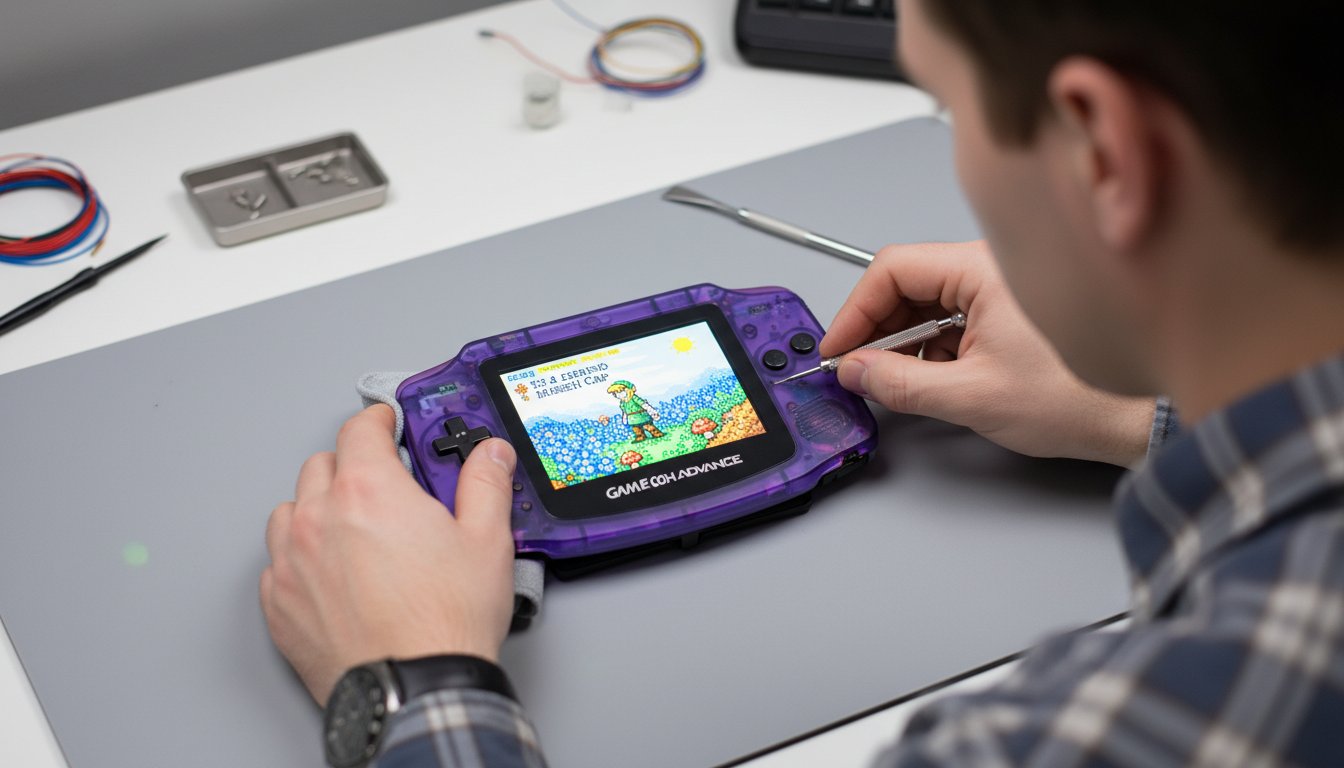
Remember squinting at your Game Boy Advance, tilting it just right to catch the light so you could see the screen? That iconic handheld holds so many cherished memories, but let’s be honest-the original display just doesn’t cut it in 2025. You’ve seen those stunning backlit displays online, but the world of a gameboy advance ips screen mod uk can feel daunting. Which kit is best? Is a laminated screen worth the extra cost? And the biggest question of all: do you risk a DIY disaster with a soldering iron, or trust a professional with your beloved console?
For the love of everything retro, put those worries aside! This is your ultimate guide to transforming your classic GBA. We’re here to demystify the entire process, breaking down the pros and cons of top-tier kits from brands like FunnyPlaying and helping you decide if a DIY project is right for you. More importantly, we’ll connect you with trusted, expert installation services right here in the UK. Get ready to give your Game Boy Advance the glorious, vibrant display it always deserved and get the absolute best experience from your favourite games.
Key Takeaways
- Understand why an IPS screen is the single best upgrade for your Game Boy Advance, making classic titles look better than you ever imagined.
- Learn the key differences between popular kits for your gameboy advance ips screen mod uk from brands like FunnyPlaying and other leading manufacturers to find the perfect fit.
- Confidently decide between a DIY project and a professional installation by assessing your technical skills and the tools required for a flawless finish.
- Discover the stress-free option of a professional modding service that handles the entire process, guaranteeing a perfect result for your cherished console.
Table of Contents
- Why an IPS Screen is the Ultimate Game Boy Advance Upgrade
- Choosing Your Kit: A Guide to GBA IPS Screens in the UK
- The Big Decision: DIY Mod vs. Professional Installation
- Get Your Fix: The Professional Modding Service at RetroFix
Why an IPS Screen is the Ultimate Game Boy Advance Upgrade
Remember squinting at your Game Boy Advance, desperately trying to catch the perfect angle of light to see what was happening in Golden Sun? We all do. The original Game Boy Advance is an iconic piece of gaming history, but its screen was always its greatest weakness. Today, you can finally give this cherished handheld the display it always deserved. An IPS screen mod transforms the GBA from a nostalgic relic into a stunning, modern-day portable, allowing you to revisit classic games with the vibrant colours and perfect brightness you’ve only ever dreamed of.
The Problem with the Original GBA Screens
The original GBA (model AGB-001) launched with a dark, non-backlit screen that made playing anywhere but under direct light a real challenge. Nintendo’s later GBA SP (AGS-101) model was a huge improvement with its front-lit screen, but by today’s standards, it suffers from noticeable motion blur, ghosting, and washed-out colours. These older screens simply can’t do justice to the beautiful pixel art of the GBA’s incredible library.
Benefits of a Modern IPS Display
This is where the magic happens. A modern IPS (In-Plane Switching) display is a total game-changer, breathing new life into every single cartridge. For enthusiasts, the gameboy advance ips screen mod uk community offers a way to get the absolute best experience out of this classic console. The benefits are immediate and staggering:
- Crystal-Clear Pixels: Say goodbye to the blurry “screen door” effect of the original. IPS screens offer razor-sharp pixels that make sprites and text incredibly crisp.
- Adjustable Brightness: Most IPS kits come with multiple brightness levels, allowing you to play comfortably in a dark room or in bright sunlight with perfect clarity.
- Vibrant Colour Saturation: This is the biggest “wow” factor. Colours that were once muted and dull now pop off the screen with incredible vibrancy, revealing details you never knew were there.
- Flawless Viewing Angles: The image remains bright and clear no matter how you hold the console, making it perfect for sharing the screen with a friend to show off a high score.
Upgrading to an IPS display isn’t just a minor tweak; it’s a fundamental enhancement that makes your GBA feel like a brand-new, premium device.
Choosing Your Kit: A Guide to GBA IPS Screens in the UK
Diving into the world of the gameboy advance ips screen mod uk scene is an exciting first step, but it can also be a little overwhelming. The market is flooded with options, and not all kits are created equal. Major players like FunnyPlaying, RetroSix, and Cloud Game Store have pushed the technology forward, offering a dazzling array of features. Understanding the key differences is crucial to building the GBA of your dreams.
Sourcing your kit from a reliable UK supplier is non-negotiable. It saves you from unexpected import duties, long shipping waits, and provides a direct line for support if things go wrong. With the growing momentum behind consumer electronics repair, partly supported by the UK’s Right to Repair regulations, getting quality, accessible parts locally is more important than ever. Before you buy, always check your GBA’s motherboard compatibility; you’ll need to know if you have a 32-pin or 40-pin model to ensure you get the right ribbon cable adapter.
Laminated vs. Non-Laminated Screens
This is one of the biggest decisions you’ll make. A non-laminated screen is the traditional choice, with a small air gap between the LCD and the lens, much like the original. It’s often a bit easier to install. However, a laminated screen bonds the LCD directly to the glass lens. This eliminates the air gap, preventing any dust from getting trapped inside and creating a sharper, more vibrant image that truly pops. For a premium, modern finish, laminated is the way to go.
Key Features to Compare
Beyond the display type, modern kits come packed with features that can transform your gaming experience. Here’s what to look for:
- On-Screen Display (OSD): An absolute game-changer. An OSD allows you to access a menu directly on your GBA screen to fine-tune brightness, colour palettes, and pixel effects without soldering extra wires.
- Pixel Effects: Want that authentic retro feel? Many kits offer integer scaling for perfect pixel alignment, scanline filters to mimic old CRT displays, and other retro shaders.
- Control Method: Brightness and feature controls are typically managed by either hidden touch sensors installed under the shell or by specific button combinations (like Select + L/R).
- Power Consumption: Newer kits are far more efficient, but performance can vary. Check reviews for real-world battery life, as a power-hungry screen can significantly shorten your play sessions.
Shell Modifications: To Cut or Not to Cut?
Many IPS screens are slightly larger than the original LCD, meaning you’ll need to trim plastic from the inside of the original GBA shell for a perfect fit. While perfectly doable with a craft knife or flush cutters, it requires a steady hand. The modern, hassle-free alternative is an ‘IPS-ready’ or pre-moulded shell. These are designed specifically for popular screen kits, require zero cutting, and guarantee a professional, clean finish every time.
The Big Decision: DIY Mod vs. Professional Installation
You’ve chosen your screen, you’ve dreamt of playing Metroid Fusion on a vibrant, backlit display, and now you face the final, crucial choice: do you install it yourself or hand your cherished console over to an expert? This is the most important step in your upgrade journey. There’s no single ‘right’ answer, but an honest assessment of your skills, tools, and nerve will lead you to the perfect path for you.
The DIY Route: Are You Ready?
There’s an undeniable magic to successfully modding your own Game Boy Advance. It’s a rite of passage for many retro enthusiasts. But before you dive in, be prepared. You’ll need the right gear:
- A good quality soldering iron (for brightness control)
- Tri-wing and Phillips head screwdrivers
- Flush cutters or a craft knife for shell modification
- Kapton tape to prevent short circuits
The risks are real: a torn ribbon cable or a damaged motherboard can be a costly, heartbreaking mistake. For a first-timer, expect to spend 2-3 hours on the project. The reward? Bragging rights and the immense satisfaction of bringing your classic GBA into the modern era with your own two hands.
The Professional Service: Peace of Mind Guaranteed
If the thought of soldering delicate points on your GBA motherboard makes you sweat, a professional service is the answer. This is the zero-risk, guaranteed-success route. An experienced technician handles the tricky shell trimming for perfect alignment, ensures no dust is trapped under the screen, and performs the delicate soldering flawlessly. When looking for a gameboy advance ips screen mod uk service, prioritise technicians with a strong portfolio and positive reviews. The cost of installation, typically starting around £40-£50, often outweighs the financial risk of a failed DIY attempt.
Our Recommendation for Most People
For beginners, or for anyone modifying a rare or sentimentally valuable console, we wholeheartedly recommend a professional service. The peace of mind is worth every penny. The DIY path is a fantastic and rewarding challenge for experienced hobbyists who already have the tools and confidence. Ultimately, you have to weigh the value of your time and your console against the cost of the service. Protect your investment and guarantee a flawless result. Get a quote for our professional GBA modding service.
Get Your Fix: The Professional Modding Service at RetroFix
While the DIY route can be rewarding, sometimes you want a guaranteed, flawless result without the risk and hassle. At RetroFix, we live and breathe retro gaming. Modding isn’t just a job for us; it’s a deep-seated passion. We pour our expertise and love for these iconic handhelds into every single console that comes through our workshop, ensuring your cherished GBA gets the ultimate upgrade it deserves.
Our process is simple and transparent. Once we receive your console, we treat it with the care it deserves, transforming it into a modern-spec classic before safely shipping it back to you, ready for action.
What Our GBA IPS Mod Service Includes
Our comprehensive service is designed to return your console in better-than-new condition. We handle every detail with professional care:
- Full Console Overhaul: We begin with a complete disassembly and a deep clean of your GBA’s internal components, removing years of dust and grime.
- Premium IPS Installation: Our technicians expertly install a high-quality, laminated IPS screen kit, sourced from trusted suppliers for maximum brightness, colour, and clarity.
- Perfect Shell Fitting: We perform precise modifications to your original shell for a seamless fit or install a brand-new, high-quality custom shell of your choice.
- Rigorous Final Testing: Before it’s carefully packaged for return, your GBA undergoes thorough testing of all buttons, ports, and screen functions to ensure perfect performance.
Why Choose RetroFix for Your Mod?
When you’re looking for a professional gameboy advance ips screen mod uk service, you need trust, skill, and genuine passion. That’s the core of what we offer. Our experienced UK-based technicians are seasoned gamers who understand the importance of preserving these classics. We combine fast turnaround times with clear communication, and every mod is backed by a warranty on our workmanship for your complete peace of mind. We treat every single console like it’s from our own personal collection.
Ready to Transform Your GBA?
Breathing new life into your Game Boy Advance has never been easier. Join hundreds of happy retro gaming fans across the UK who have trusted us to enhance their classic hardware. Your nostalgia deserves the best possible screen.
Start your GBA transformation journey with RetroFix today!
Your GBA’s Ultimate Evolution Awaits
The journey to upgrading your cherished Game Boy Advance is an exciting one. An IPS screen is a total transformation, bringing your favourite classics to life with stunning colour and clarity that the original hardware could only dream of. For anyone in the gameboy advance ips screen mod uk community, the results are simply spectacular.
While the DIY route offers a rewarding challenge, for a flawless finish and complete peace of mind, a professional service is the ultimate power-up. At RetroFix, our passion is helping you get the best retro experience possible. Our expert UK-based technicians use only premium quality parts for every installation, and we back our work with a full warranty on all our workmanship, ensuring your console is in safe hands.
Ready for the ultimate upgrade? Get your GBA professionally modded by the UK experts!
It’s time to get your fix and rediscover your favourite games in a way you never thought possible.
Frequently Asked Questions
How much does a Game Boy Advance IPS screen mod cost in the UK?
The cost for a gameboy advance ips screen mod uk depends on whether you go the DIY route or buy a pre-built console. A high-quality DIY kit from a UK supplier will typically set you back between £45 and £60. This includes the IPS panel, ribbon cable, and often a pre-cut shell or lens.
If you prefer a professional installation service or a fully refurbished, pre-modded GBA, prices generally range from £120 to £180. This is a fantastic, hassle-free option to get a perfect result.
Does an IPS screen drain the GBA’s battery life faster?
Yes, a modern IPS screen with its powerful backlight does draw more power than the original non-lit screen. You can typically expect battery life to be around 5-8 hours on a fresh set of AA batteries, depending on the brightness level you use. The stunning visual upgrade is a worthy trade-off for most retro gaming fans.
For the ultimate experience, we highly recommend pairing your new screen with a rechargeable USB-C battery mod. This modernises your classic console and ensures you have plenty of power for long gaming sessions.
Do I need to know how to solder to install a GBA IPS screen?
Not always! Many of the most popular kits available today are designed to be “solder-free” for basic functionality. You can simply connect the ribbon cable to get the beautiful new display working. This makes the mod incredibly accessible for beginners who just want to upgrade their screen.
However, to unlock extra features like digital brightness control or the on-screen display (OSD) menu, you will usually need to solder three or four wires to points on the GBA’s motherboard. It’s a great first soldering project!
How can I tell if my GBA has a 32-pin or 40-pin motherboard?
The easiest way to check without opening your console is to look at the serial number in the battery compartment. If the number begins with a “1”, you most likely have a 40-pin motherboard. If it begins with a “0”, it is probably a 32-pin model. This is a good general guide for most consoles.
Thankfully, most modern IPS kits sold in the UK come with both 32-pin and 40-pin ribbon cables, so you’ll have the right part regardless. The only 100% certain way is to open the shell and check the connector itself.
What is the best IPS screen kit for the Game Boy Advance?
While “best” can be subjective, the community overwhelmingly favours kits from brands like FunnyPlaying. Their laminated screens, such as the V3 or ITA kits, are considered top-tier. A laminated screen bonds the LCD directly to the glass lens, which eliminates the air gap, prevents dust from getting inside, and provides a super-crisp image.
Look for kits that offer features like pixel grid effects for a nostalgic feel, multiple brightness levels, and colour palette options. These features give you the power to customise the display for the perfect retro experience.
Can you install an IPS screen in a Game Boy Advance SP?
Absolutely! Upgrading the GBA SP with a new IPS panel is just as popular and impactful as it is for the original GBA. It’s a phenomenal upgrade for both the original frontlit AGS-001 model and the brighter, but still somewhat blurry, AGS-101 model. The result is a pin-sharp, vibrant display that breathes new life into the iconic clamshell design.
The installation process is slightly different due to the SP’s construction, but dedicated kits are widely available. It’s a must-do mod for any serious SP enthusiast.