Get your fix of everything retro — specialists in imported & rare retroImported & Rare Retro

Shop By
N64 Super 64 Explained: Your Ultimate Guide to a Better Picture
You’ve dusted off your beloved Nintendo 64, eager for a nostalgic trip back to Hyrule or a frantic race in Mario Kart, only to be met with a blurry,...

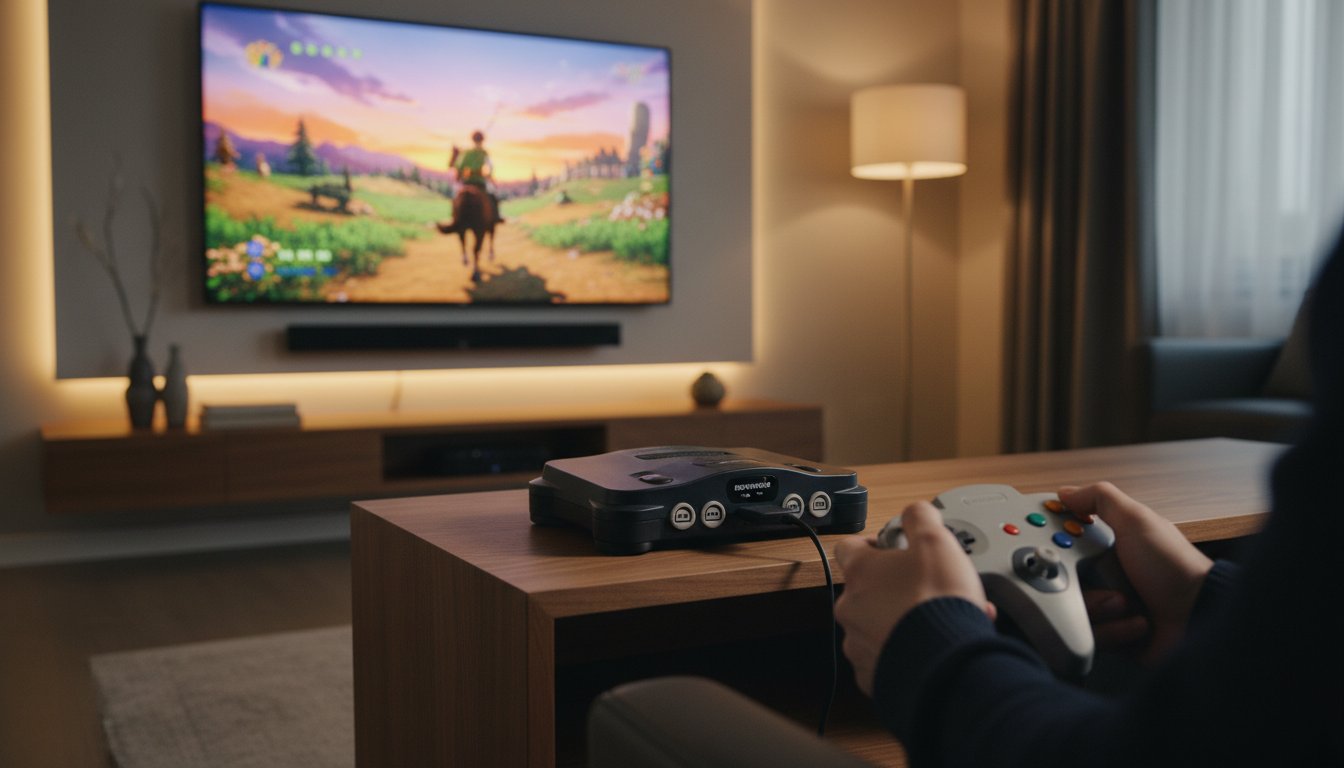
You’ve dusted off your beloved Nintendo 64, eager for a nostalgic trip back to Hyrule or a frantic race in Mario Kart, only to be met with a blurry, washed-out image on your modern TV. It’s a common frustration. The world of complex RGB mods can be intimidating, and those cheap HDMI adapters often result in laggy controls and disappointing picture quality. What if there was a simple, plug-and-play solution? Enter the EON N64 Super 64, a device promising to bridge the gap between classic hardware and today’s high-definition displays without a soldering iron in sight.
But with a premium price tag, is it the right choice for you? In this ultimate guide, we’re getting our fix of N64 video goodness. We’ll break down exactly what the Super 64 is, how it works its magic, and how it stacks up against other popular options on the market. We’re here to help you understand if this is the right investment to get your console looking sharp and vibrant, so you can make an informed choice and get back to what matters most: enjoying those iconic 64-bit classics.
What Is the EON Super 64 and Why Does Your N64 Need It?
Remember the sheer excitement of digging your beloved Nintendo 64 out of storage, only to be met with crushing disappointment when you plug it into your modern HD or 4K TV? That blurry, washed-out, and often stretched image is a common heartbreak for retro enthusiasts. The magic of Ocarina of Time just isn’t the same when everything looks like a smudged watercolour painting.
Enter the EON Super 64. As the first truly plug-and-play HDMI adapter designed specifically for the N64, its mission was simple: to rescue our favourite 64-bit classics from video cable obscurity. This sleek device bridges the gap between 1996 technology and today’s high-definition displays, delivering a cleaner, sharper image with absolutely zero fuss. It’s the upgrade your console has been crying out for.
The Original Sin: Why the N64 Looks Bad on HDTVs
The core problem lies with the N64’s original video output. That iconic cable with the yellow, white, and red plugs uses composite video, a low-resolution standard designed for the CRT televisions of the era. Modern TVs are utterly baffled by the N64’s native 240p/480i signal. A closer look at the Nintendo 64’s video specifications shows it was built for a different world. Your TV tries its best to deinterlace and scale this ancient signal, but the result is a blurry mess filled with shimmering artefacts and noticeable input lag, making fast-paced games like F-Zero X feel sluggish.
How the Super 64 Works Its Magic (Without Soldering)
The genius of the n64 super 64 is that it bypasses the console’s fuzzy composite video entirely. Instead, it taps into the much cleaner S-Video signal directly from the N64’s multi-out port. From there, it performs a process called ‘line-doubling’, converting the native 240p signal into a crisp 480p image. This 480p signal is a standard that modern TVs understand and can display perfectly, resulting in a dramatically sharper and more stable picture. The best part? It’s all plug-and-play. No screwdrivers, no soldering, no terrifying internal mods-just pure gaming bliss.
Key Features: Slick Mode and No-Lag Performance
Beyond its core function, the EON Super 64 includes a fantastic feature called ‘Slick Mode’. With the press of a button, this mode applies a subtle smoothing filter that helps soften the N64’s famously sharp, jagged polygons. It’s a form of anti-aliasing that can take the hard edge off characters and environments, offering a cleaner, more refined look. Most importantly, this device is completely lag-free. It processes the video signal instantly, ensuring the zero-latency response needed for pixel-perfect jumps in Super Mario 64. It’s all wrapped in a custom-designed shell that perfectly matches the N64’s iconic aesthetic.
Super 64 vs. The Competition: A Head-to-Head Comparison
So you want to get your N64 looking sharp on a modern TV, but the options feel overwhelming. Where does the EON Super 64 fit in this crowded field? Think of this section as your buyer’s guide. We’ll compare it against the most common solutions to help you find the perfect fix for your budget and technical skill, looking at three key criteria: Picture Quality, Price, and Ease of Use.
Super 64 vs. Standard Composite Cables (The Baseline)
The yellow, red, and white cables that came with your console are the enemy of sharp pixels. On an HDTV, they produce a blurry, washed-out image with noticeable colour bleed and fuzzy text. The Super 64 offers a dramatic leap in clarity, taking the console’s S-Video output and delivering a crisp, vibrant 480p image that reveals details you never knew were there. While composite is free, the Super 64’s premium price (around £130) buys you an entirely new visual experience.
Super 64 vs. Cheap HDMI Converters (The Amazon Special)
Tempted by that £15 HDMI adapter on Amazon? Be warned. Most of these generic boxes simply take the blurry composite signal and convert it, often adding significant input lag, stretching the image to the wrong aspect ratio, and getting colours all wrong. The n64 super 64 is a purpose-built device that properly processes the signal for a clean, lag-free experience, making it a far more reliable and high-quality investment for any serious player.
Super 64 vs. RAD2X Cable
The RAD2X is the Super 64’s closest rival in the plug-and-play space. Both are fantastic, lag-free line-doublers that use the N64’s superior S-Video signal to produce a fantastic image. The main differences are form factor-the Super 64 is a compact dongle, while the RAD2X is an all-in-one cable-and features. The Super 64 includes its unique ‘Slick Mode’ for extra smoothing, a feature the RAD2X lacks. This added polish is a key reason why many, as noted in IGN’s review of the Super 64, praise its premium performance.
Super 64 vs. Internal RGB/HDMI Mods (The Ultimate Tier)
For the absolute purist, nothing beats an internal mod like an N64RGB or UltraHDMI. These modifications tap directly into the N64’s digital video signal, delivering the sharpest, cleanest picture possible. However, this quality comes at a cost in both price and complexity, requiring expert soldering and permanently altering your console. The Super 64 offers 90% of that incredible visual quality for 0% of the hassle. If you’re set on the ultimate upgrade for your cherished console, check out our modding services.
Setting Up and Using Your Super 64: A Step-by-Step Guide
You’ve got the box in your hands, and you’re just moments away from reliving those classic 64-bit memories in stunning clarity. One of the best things about the n64 super 64 is its sheer simplicity. There’s no complex wiring or software to worry about. This guide will walk you through the entire process, from a quick compatibility check to fine-tuning your picture for that perfect nostalgic hit.
Compatibility Check: Will It Work With Your N64?
Before you plug anything in, let’s do a quick check. The Super 64 is a plug-and-play device designed specifically for NTSC (North American/Japanese) Nintendo 64 consoles, as it uses the S-Video signal that these models output natively. Unfortunately, this means it is not compatible with standard PAL (UK/European) consoles out of the box. PAL systems require an internal modification to output the necessary signal. If you’re looking to make the jump, we often have a great selection of NTSC consoles ready for action over at myretrofix.co.uk.
Installation: It’s As Easy As It Sounds
This is where the magic happens. The Super 64’s biggest strength is its straightforward, no-fuss setup. This ease of use is a critical factor in any convenience versus cost analysis when you compare it to more involved upscaling solutions. Just follow these simple steps:
- Step 1: With your console powered off, firmly plug the Super 64 into the Multi AV port on the back of your Nintendo 64. It’s a perfect, snug fit.
- Step 2: Connect a high-quality HDMI cable from the Super 64’s port to a spare HDMI input on your modern TV or monitor.
- Step 3: Make sure your N64 has its power supply connected and a game cartridge inserted. The console won’t output a signal without a game.
- Step 4: Power on your N64 and your TV. Switch your TV to the correct HDMI input, and you should see the game’s title screen appear!
Fine-Tuning Your TV Settings for the Best Picture
The Super 64 outputs a clean 480p signal, but a few quick adjustments on your TV can elevate the experience from great to perfect. Dive into your TV’s picture settings and look for these options:
- Game Mode: This is a must! Activating ‘Game Mode’ on your TV significantly reduces input lag, ensuring your button presses feel responsive and immediate.
- Aspect Ratio: Set your TV’s aspect ratio to 4:3. N64 games were designed for this squarer format, and stretching the image to 16:9 will distort the classic visuals.
- Sharpness and Colour: This is down to personal taste. Some gamers prefer a softer, more authentic look, while others like to dial up the sharpness for a crisper image. Play around with the settings until it looks just right to you.
The Verdict: Is the EON Super 64 Worth Your Money in 2025?
So, after all the testing and technical talk, we land on the big question: should you spend your hard-earned cash on the EON Super 64? In a world of RAD2X cables and complex internal mods, this premium plug-and-play device has to justify its price tag. The answer, as is often the case in retro gaming, really depends on what kind of player you are.
The n64 super 64 is a product built for a specific purpose: to deliver a fantastic, hassle-free HD image with zero fuss. It absolutely succeeds in this mission, but its value proposition hinges entirely on your priorities, budget, and technical appetite.
Who It’s For: The Plug-and-Play Purist
This is for the gamer who wants to recapture the magic of GoldenEye 007 or Mario Kart 64 on their modern TV in under 30 seconds. If you don’t want to open your cherished console, learn to solder, or navigate complex settings, this is your solution. It’s the perfect choice for getting a party-ready setup in minutes. You value convenience and a high-quality, reliable result, and you’re willing to pay the premium for that simplicity.
Who Should Pass: The Budget-Conscious and the Perfectionist
If your budget is tight, the Super 64’s price (often over £120) is a significant hurdle. A brilliant alternative like the RAD2X cable delivers a comparable S-Video quality image for less than half the price. Conversely, if you’re a pixel perfectionist chasing the absolute sharpest, cleanest image possible, then an internal digital-to-digital mod like the N64Digital is the undisputed king-though it requires expert installation and a higher investment.
Final Scorecard: Pros & Cons
Pros:
- Incredibly simple plug-and-play setup.
- Excellent 480p image quality from S-Video.
- Genuine zero-lag performance.
- Solid, premium build quality that feels durable.
- ‘Slick Mode’ offers a nice, subtle smoothing filter.
- High price point compared to other excellent solutions.
- Video quality is ultimately surpassed by internal RGB or HDMI mods.
- Does not support PAL-exclusive 576i resolutions.
Ultimately, the EON Super 64 carves out a valuable niche. It isn’t the cheapest way to play, nor is it the absolute pinnacle of video output. It is, however, arguably the easiest way to get a fantastic, lag-free HD picture from an original Nintendo 64. For many, that convenience is worth every penny. If you’re ready to take the next step into console modification for even better results, be sure to check out the range of professional N64 services we offer to get the best possible experience.
The Final Verdict: A Crystal Clear Choice for Your N64
There’s no denying it: the EON Super 64 is a game-changer for any serious Nintendo 64 enthusiast. It effortlessly bridges the gap between cherished 90s hardware and modern HD displays, delivering a sharper, more vibrant picture with zero fuss. For those looking to ditch blurry composite cables forever, this simple plug-and-play n64 super 64 adapter stands tall against the competition. It offers a fantastic, lag-free balance of performance and convenience that truly breathes new life into iconic titles like Ocarina of Time and GoldenEye 007, making them look better than ever before.
Ultimately, upgrading your visual output is one of the best ways to honour your classic console. At MyRetroFix, we’re here to help you do just that. As passionate experts who live and breathe retro gaming from our UK base and physical store in Worthing, we’re not just sellers-we’re specialists in console repairs and modifications. We believe every gamer deserves the best possible experience, and we have the expertise to make it happen, ensuring your cherished hardware performs flawlessly for years to come.
Ready to play? Get your fix of N64 consoles and games!
Frequently Asked Questions
Does the EON Super 64 work with PAL Nintendo 64 consoles?
The EON Super 64 is specifically designed for NTSC (North American and Japanese) N64 consoles, which output a 60Hz signal. While you might get a picture from a PAL (UK/European) console, it is not officially supported and will likely result in incorrect colours, timing issues, or a black and white image. For the best, hassle-free experience, we strongly recommend using the Super 64 with an NTSC N64 console to get that perfect HD picture you’re looking for.
Is there any input lag when using the Super 64?
Absolutely not! This is one of the Super 64’s biggest strengths. Because it’s a line-doubler and not a complex digital upscaler, it processes the N64’s native video signal with virtually zero added latency. This means your button presses feel just as responsive as they did on an old CRT television. You can pull off those frame-perfect jumps in Super Mario 64 without any frustrating delay, keeping the classic gameplay experience perfectly intact and wonderfully responsive.
Do I need to buy a separate power supply for the Super 64?
Nope, you’re all set with what’s in the box! The EON Super 64 is a true plug-and-play device. It draws all the power it needs directly from the Nintendo 64’s multi-out port, the same port it uses for the video signal. This fantastic design means less cable clutter behind your TV and a much cleaner, simpler setup. Just plug it into your console, connect an HDMI cable to your TV, and you are ready to dive back into your favourite classics.
Does the Super 64 fix the N64’s notorious blurriness completely?
The Super 64 does an incredible job of presenting the N64’s native signal cleanly on a modern TV, which is a massive improvement over old composite cables. However, the N64 has a built-in anti-aliasing feature that creates a “soft” look which the Super 64 cannot remove. It simply displays that original signal more clearly. For a sharper image, you can disable the device’s “Slick Mode” filter, but for a truly crisp picture, an internal RGB or HDMI mod is the ultimate solution.
Is the Super 64 better than a RetroTINK or an OSSC?
It all depends on what you need! The Super 64’s main advantage is its incredible simplicity; it’s a dedicated, plug-and-play solution designed perfectly for the N64. Devices like the RetroTINK and OSSC are more powerful and versatile, supporting many different consoles and offering advanced customisation. However, they require more setup and knowledge. If you only want a simple, high-quality way to play your N64, the n64 super 64 is arguably the best and easiest option available.
Can I use the Super 64 with other consoles like the SNES or GameCube?
Yes, you can! The Super 64 uses the standard Nintendo AV multi-out port, so it is compatible with NTSC models of the SNES (1-CHIP/SNES Jr. models give the best results) and the GameCube (model DOL-001). While the n64 super 64 is optimised for its namesake, it functions as a fantastic line-doubler for these other iconic consoles too. It’s a great bonus that adds even more value to this brilliant piece of kit for any serious Nintendo fan.
Where is the best place to buy an EON Super 64 in the UK?
As a specialist item, you won’t find the EON Super 64 on the high street. Your best bet is to check dedicated UK-based retro gaming stores online. Retailers like Console Passion or Retro Gaming Cables often stock them or similar high-quality solutions. You can typically expect to pay around £130 to £150. Always buy from a reputable seller to ensure you get a genuine product and great customer support for your retro gaming fix!